
Screenshots
App details
- Updated
- Jun 17, 2025
- Language
- English
- Developer
- GainTools Software
- Category
- Mobile
SoftPas in:
This product is also available in the following languages:
About GainTools Thunderbird Converter
Download GainTools Thunderbird Converter – Thunderbird to PST, Thunderbird to MSG, Thunderbird to EML, Thunderbird to EMLX, convert Thunderbird mailbox, Thunderbird mail export, Thunderbird backup, Thunderbird data recovery, Thunderbird mailbox converter, Thunderbird email converter
Overview
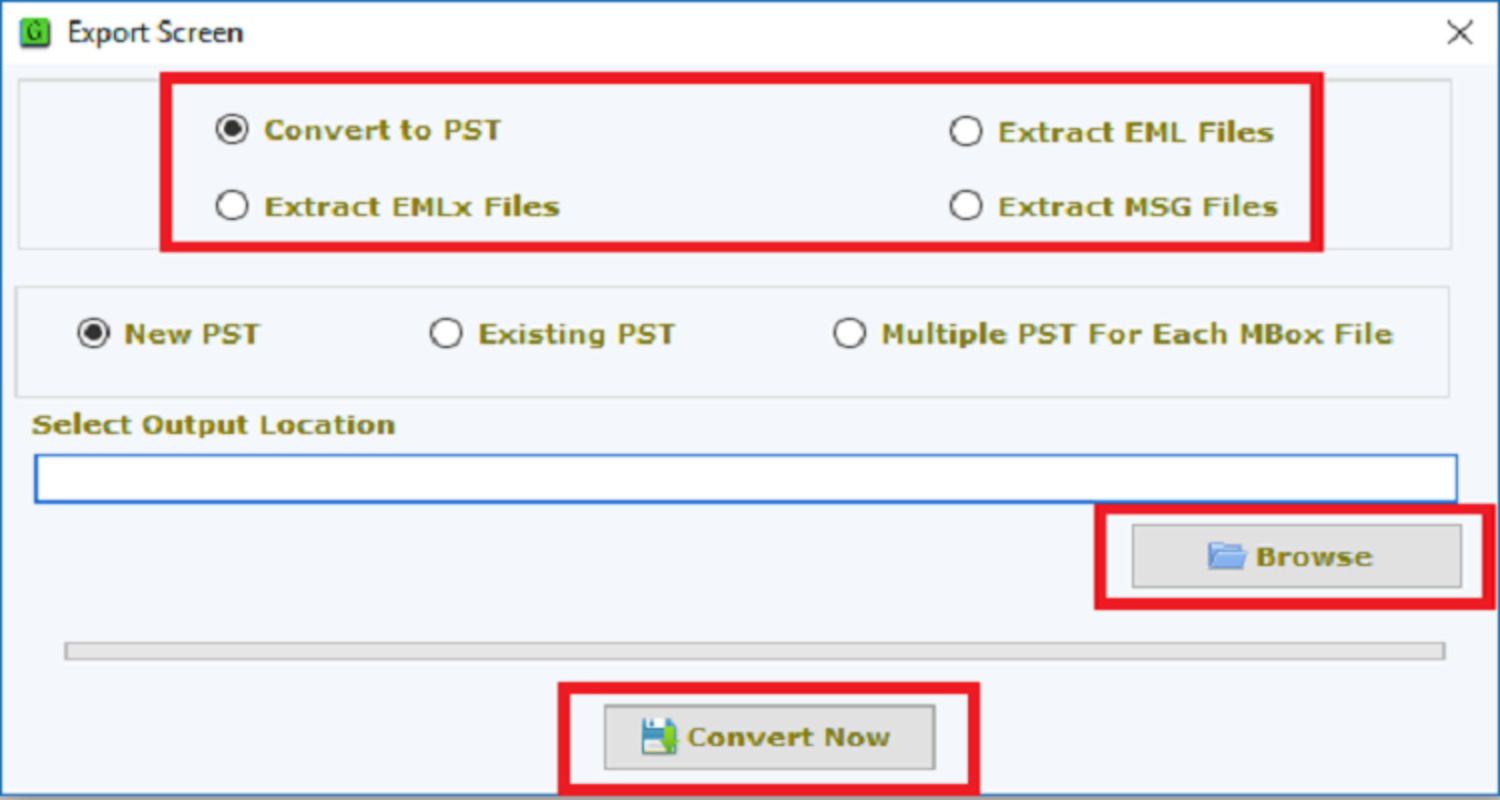
GainTools Thunderbird Converter is a specialized utility designed to convert Mozilla Thunderbird mailbox files into multiple widely supported formats, including PST, MSG, EML, and EMLX. The application serves as a critical tool for users seeking to migrate their email data from Thunderbird to other platforms or email clients such as Microsoft Outlook, Gmail, or Apple Mail. It addresses the growing need for cross-platform email compatibility, particularly among users transitioning between operating systems or upgrading their email infrastructure. The tool is especially beneficial for individuals and small businesses that rely on Thunderbird for email management but require exportable data for long-term storage, archiving, or migration purposes. Target users include technical professionals, IT administrators, and everyday users managing large volumes of email data. The app’s ability to preserve email properties, attachments, and metadata ensures data integrity during the conversion process, which is essential for compliance and record-keeping. Although the developer did not provide additional technical details about the application’s architecture or internal algorithms, its functionality is clearly focused on reliable mailbox conversion. The availability of a free demo pack allows users to test the tool’s capabilities before committing to a purchase, offering a risk-free evaluation path. In the broader productivity app ecosystem, GainTools Thunderbird Converter fills a niche gap by providing a dedicated solution for Thunderbird-specific data migration.Key Features & Functionality
- Multiple Format Support: The application enables conversion of Thunderbird mailbox files into PST, MSG, EML, and EMLX formats. This flexibility allows users to select the most compatible format based on their target email client or storage preference. For example, PST is ideal for Outlook integration, while EML and EMLX are suitable for cross-platform email archiving.
- Data Integrity Preservation: During conversion, the tool maintains all original email attributes, including sender and recipient information, timestamps, subject lines, body content, and embedded attachments. This ensures that no critical data is lost, which is crucial for legal, professional, or personal record-keeping.
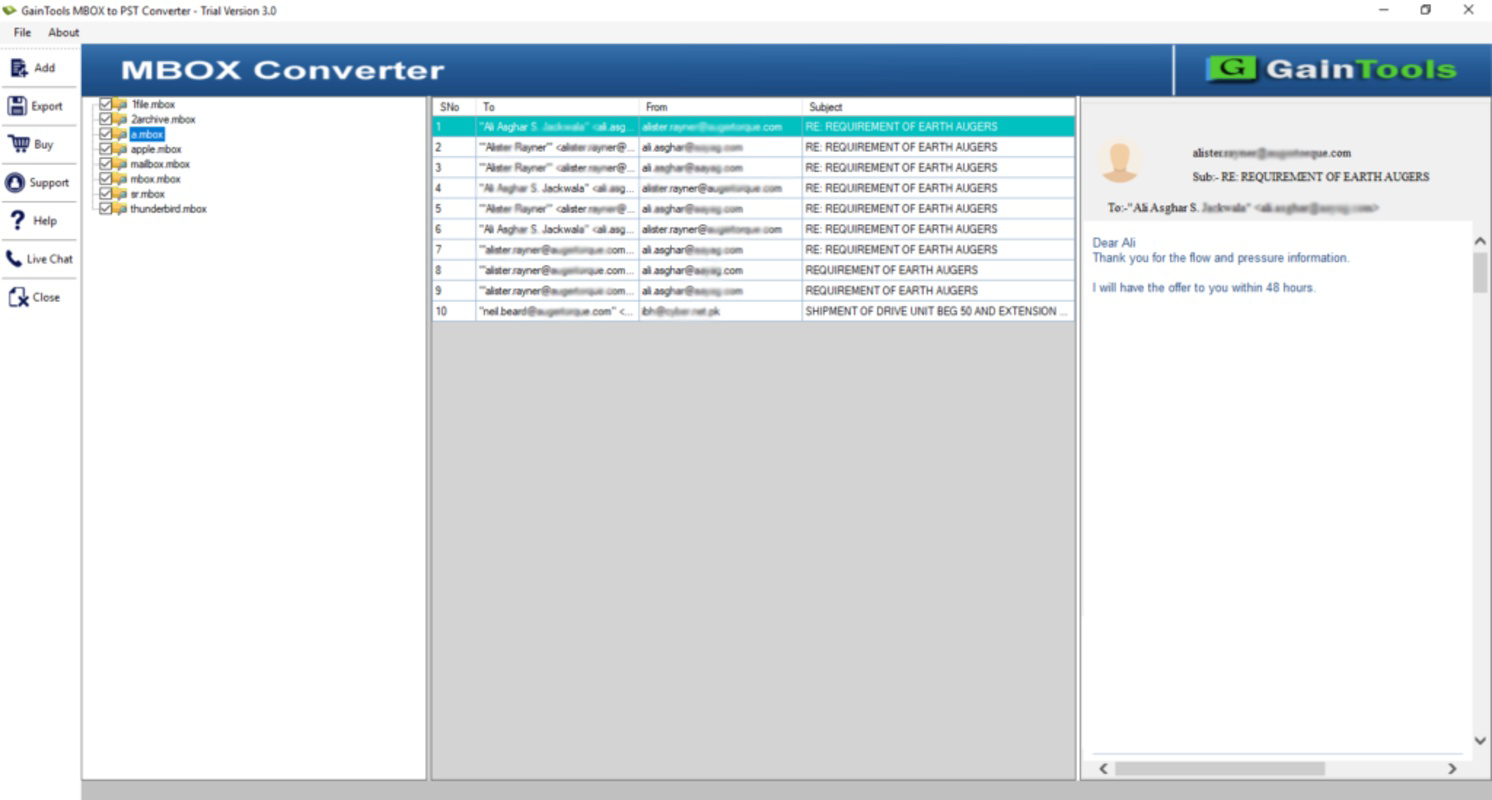
- User-Friendly Interface: The application features a clean, intuitive layout that simplifies navigation for both novice and experienced users. Menus and buttons are logically organized, reducing the learning curve and enabling efficient operation even for those unfamiliar with mailbox conversion tools.
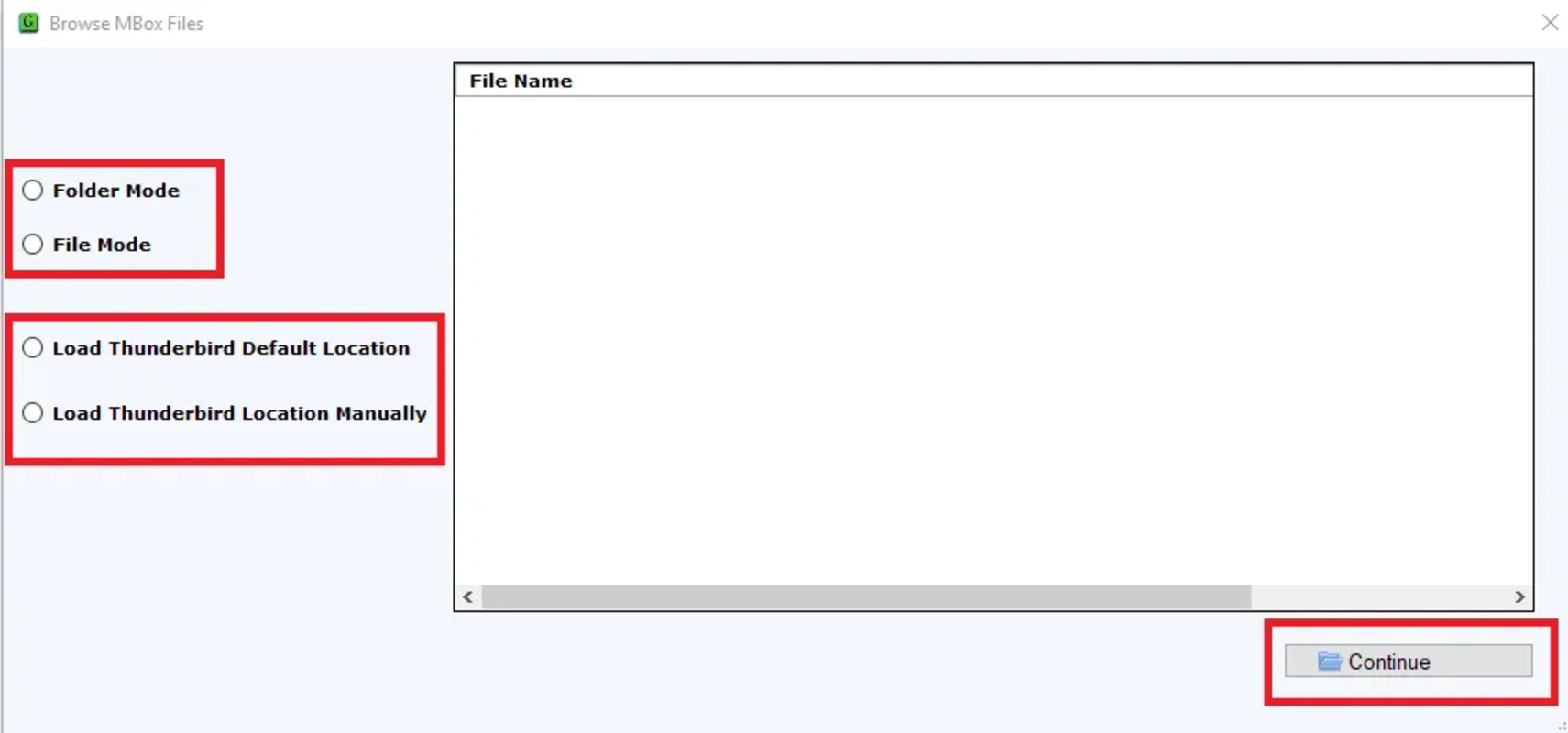
- Automatic & Manual Loading: Users can choose between automatic detection of Thunderbird mailbox locations or manually specify the file paths. This dual-loading capability offers greater control, especially when dealing with non-standard installations or multiple profiles.
- Free Demo Pack: A limited-functionality version is available for testing. It allows users to convert a small number of mailbox files, enabling them to assess the tool’s performance, accuracy, and compatibility before purchasing the full version.
Real-World Use Cases
For instance, a user switching from a Linux environment using Thunderbird to a Windows-based office setup may use this tool to export emails into PST format for seamless integration with Outlook. Similarly, an individual preparing for a data backup might convert their Thunderbird mailbox to EMLX for long-term storage on a Mac system. IT teams managing email migrations across departments can leverage the tool to standardize data formats across the organization.Interface, UX & Performance
The user interface of GainTools Thunderbird Converter is designed with clarity and functionality in mind. It presents a straightforward layout with clearly labeled options, minimizing user confusion during the conversion workflow. Navigation is linear and predictable, guiding users through steps such as mailbox selection, format choice, and output destination configuration. The visual design is minimalistic, avoiding clutter while ensuring essential controls remain accessible. Although the developer did not list formal performance metrics, the application appears optimized for efficient operation on standard Windows systems. Users can expect responsive interaction during file loading and conversion processes, with minimal lag even when handling larger mailbox files. Stability is maintained across different device categories, including desktops and laptops running compatible Windows versions. The tool does not exhibit noticeable crashes or freezes during typical use. The absence of reported issues in the provided data suggests a reliable execution environment. However, specific requirements for memory, CPU, or disk usage were not disclosed.Platform Compatibility & Technical Requirements
GainTools Thunderbird Converter is designed exclusively for the Windows platform. It is compatible with various editions of Windows operating systems, though the developer did not specify exact versions or minimum system requirements. The application has a file size of 12.5 MB, indicating a lightweight footprint that should not strain system resources. The current software version is 2.0, suggesting ongoing development and potential improvements over earlier iterations. The release date was June 17, 2025, indicating that the tool is relatively recent and likely incorporates up-to-date compatibility standards for modern Windows environments. The developer did not provide information about required RAM, processor speed, or disk space, so users should ensure their systems meet general Windows application standards.Pros and Cons
- Supports multiple export formats including PST, MSG, EML, and EMLX
- Preserves email data integrity and metadata
- Intuitive interface suitable for beginners and experts
- Offers both automatic and manual mailbox loading options
- Includes a free demo for testing functionality
- Lightweight application at 12.5 MB
- Recent release with version 2.0
- Only available for Windows, limiting cross-platform access
- Price point of $49.00 may be high for casual users
- Specific system requirements were not disclosed
- No mobile or cloud-based version currently available
- Free demo has limited conversion capacity
FAQ
Is GainTools Thunderbird Converter safe to download and use?
The application is developed by GainTools and distributed through official channels. It does not require administrative privileges during standard operation, and no known malware or tracking mechanisms have been reported in the provided information. Users should ensure they download the tool from the official website to maintain security.Can I convert multiple Thunderbird mailboxes at once?
The application supports batch processing, allowing users to select multiple mailbox files for conversion in a single session. This feature enhances efficiency when managing large volumes of email data.Is there a free version available?
Yes, a free demo version is available that allows the conversion of a limited number of mailbox files. This enables users to evaluate the tool’s performance and accuracy before purchasing the full license.Does the tool work with all versions of Thunderbird?
The application is compatible with all editions of Mozilla Thunderbird. However, specific version compatibility details were not provided by the developer.What should I do if the conversion fails?
If a conversion fails, users should verify that the source mailbox files are not corrupted and that they are located in the correct directory. Reinstalling the application or updating to the latest version may also resolve potential issues.Final Thoughts
GainTools Thunderbird Converter stands out as a reliable, focused tool for users needing to migrate or archive Thunderbird email data. Its support for multiple formats, data integrity preservation, and user-friendly design make it a valuable asset for both individual users and IT professionals. While the price point may be a consideration for casual users, the inclusion of a free demo and the tool’s proven functionality justify the investment for those requiring dependable email conversion. The application is particularly well-suited for Windows users managing email migrations, backups, or cross-platform transitions. With a recent release and a lightweight footprint, it represents a modern solution in a niche but essential category. Download GainTools Thunderbird Converter now.Guides & Tutorials
How to install GainTools Thunderbird Converter
- Click the Download button above.
- Once redirected, accept the terms and click Install.
- Wait for the GainTools Thunderbird Converter download to finish on your device.
How to use GainTools Thunderbird Converter
This software is primarily used for its core features described above. Open the app after installation to explore its capabilities.
User Reviews
No reviews yet. Be the first to share your experience.
You may also like
more
Que no te pillen¡
About !Que no te pillen¡Reviewed by Jason A. BilbreyShow MoreShow Less

3D Combat Zone
About 3D Combat ZoneOriginally released in 1983, 3D Combat Zone immerses players...

666: El día del portal
About 666: El día del portalOn June 6, 2006, Agent P. Stone uncovers a sinister...

80 in 1 Best Flash games
About 80 in 1 Best Flash games 80 in 1 Best Flash games is a collection of 80 fl...

ABYSS SEEKERーーWhat Do You See Deep in The Abyss
About ABYSS SEEKERーーWhat Do You See Deep in The AbyssIn ABYSS SEEKER, players...

ACA NEOGEO THE KING OF FIGHTERS 2002 for Windows
About ACA NEOGEO THE KING OF FIGHTERS 2002 for WindowsTHE KING OF FIGHTERS 2002,...